Explore a collection of puzzle modes, including a number grid with increment pieces, a five-lane number board and matching-color path puzzles. Read each mode’s prompts and plan around its board, upcoming pieces and available space.
Fit the supplied colored pieces into a square grid, planning around their shapes and any fixed obstacles. Complete the board layout across successive levels, with Reset and coin-priced Hint controls available.
Relocate screws into open holes to release overlapping boards before the timer runs out. Plan the removal order, preserve usable holes and continue through the level map after completing each puzzle.
Select colored shooters for the four slots below a winding block track. Compare shooter colors and remaining counts with the blocks on the track, and plan selections around the limited slot space.
Choose a Puzzle Mode
Puzzle Box contains distinct puzzle interfaces. Use the back arrow to return from a mode and follow the prompts for the next one rather than carrying over the previous mode’s rules.
Number Grid
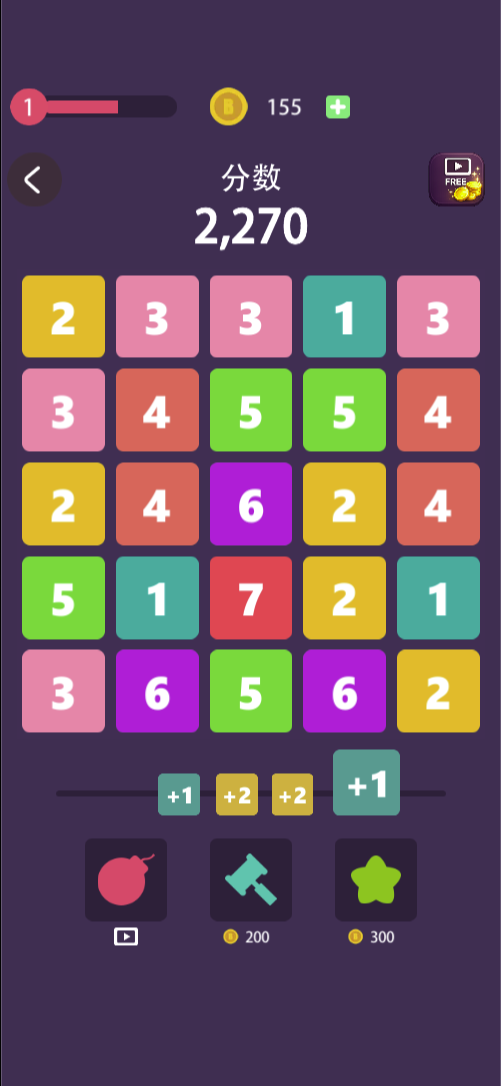
The first capture shows a 5 × 5 board with small numbers and a queue of +1 and +2 pieces below it. Read the queue before acting and consider what each increment would change.
Five-Lane Number Board
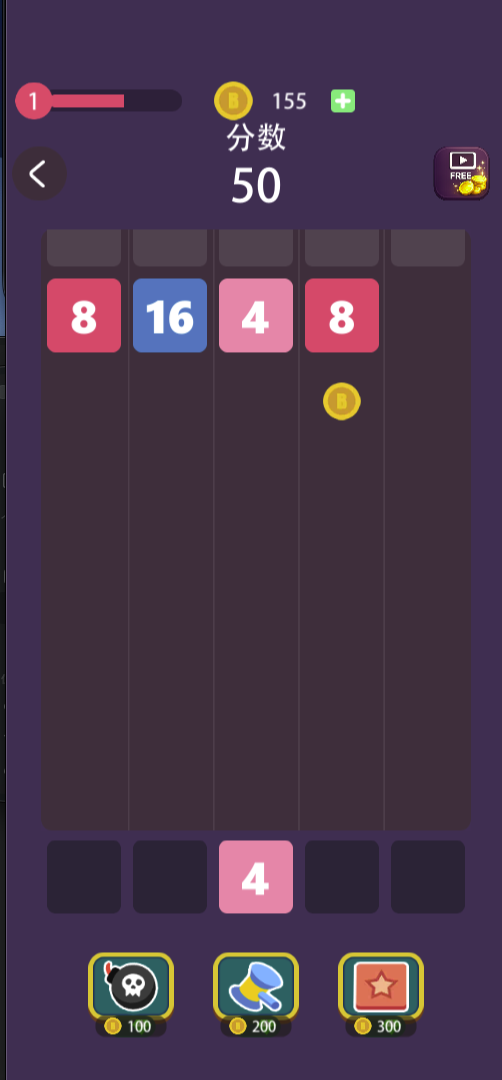
The second mode has five tall lanes, visible 4, 8 and 16 tiles, and a current 4 tile below the board. Compare available space across the lanes before selecting a destination, using the game’s input instructions to confirm how a tile is placed.
Matching-Color Paths
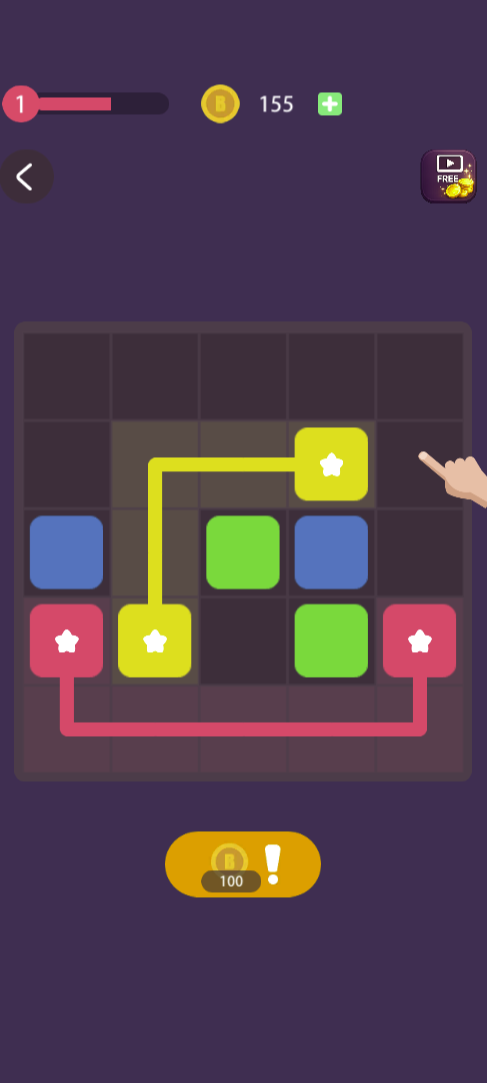
The third capture shows routes joining matching star-marked endpoints on a grid. Trace the intended connections before committing, watching occupied cells and the space required for other colors. Start with the most constrained route when that helps preserve room for the rest.
Tools and Costs
Tool icons differ between modes. Check the displayed price or video icon before using one: the screens include tools priced at 100, 200 and 300 coins, while some actions are marked with a video symbol. Do not assume the same icon or price has the same effect in every mode.
Do all modes share one score?
The two number screenshots display different scores.
What does each tool do?
Read its in-game prompt before spending coins.
Screenshots & Strategies
Real browser captures · October 21, 2026
This mode uses a 5 × 5 number grid and a visible queue of +1 and +2 pieces. Inspect the current board and upcoming increments before choosing your next action.A separate number mode uses five vertical lanes, values such as 4, 8 and 16, and a current tile below the board. Plan for available lane space using this mode’s own prompts.The color-path mode shows yellow and pink connections between matching star-marked endpoints. Trace a route around occupied cells and leave space for the remaining connections.