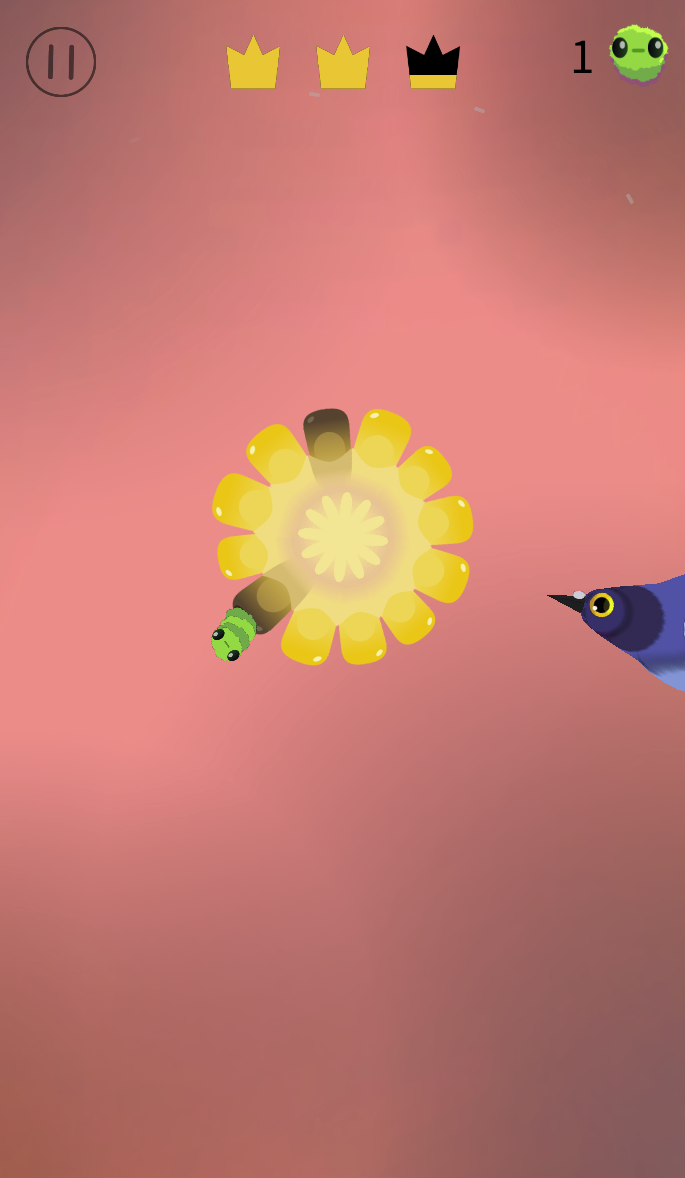
Watch the rotating food and peck when an edible piece reaches the bird’s beak. Pigeon Party challenges you to time each tap, avoid bad pieces and clear the remaining good pieces in the level. As fewer targets remain, each tap needs a closer look.
The game opens at game.axplay.win. Use your browser’s Back button to return to this guide.
طريقة اللعب
Watch the direction of rotation and locate the good and bad pieces.
Click or tap when a good piece reaches the bird’s beak to peck it.
Wait for another safe target and avoid bad pieces. Clear all required good pieces to finish the level.
Controls
Tap the screen on mobile or click with the mouse on desktop to peck. Time the action; you do not need to drag food toward the beak.
Beginner tips
Observe the rotation before your first tap to learn the timing.
When good and bad pieces are close together, wait for a clear opportunity rather than tapping repeatedly.
Slow down when only a few targets remain and check when each one reaches the beak.
Questions
Why did a tap miss the target?
Pecking depends on what is in front of the beak at that moment. A target may not have arrived yet, may already have passed, or may not be open.
Do I need to install anything? What if loading fails?
Open the game in your browser. The first load needs to download game resources. If loading stalls, check your connection and reload. If it still fails, send the game name, device and browser version through our contact page.
Explore number-ball merging, an Infinite Mode and a mountain-road rolling challenge. Follow the current mode’s swipe controls, line up matching numbered balls where applicable and steer around cones, gaps or rock obstacles.
Steer your character through a layered hexagonal arena alongside other competitors. Use the on-screen joystick to navigate platforms, watch gaps and plan a route across the remaining tiles.
Move a black hole around a timed arena to collect characters before a later battle scene with a creature and castle. Spend coins on Time, Size and Power upgrades, plan efficient collection routes and explore hole skins.
Guide a character hanging from a horizontal bar through a vertical obstacle course. Watch the walls, ledges and stars along the route, complete the level and continue from the result screen.
How to Play Pigeon Party
Choose an unlocked level and watch the rotating food before your first peck.
Tap on a phone or click on desktop when an edible piece reaches the bird’s beak.
Avoid dark pieces and wait for a safe target instead of tapping continuously.
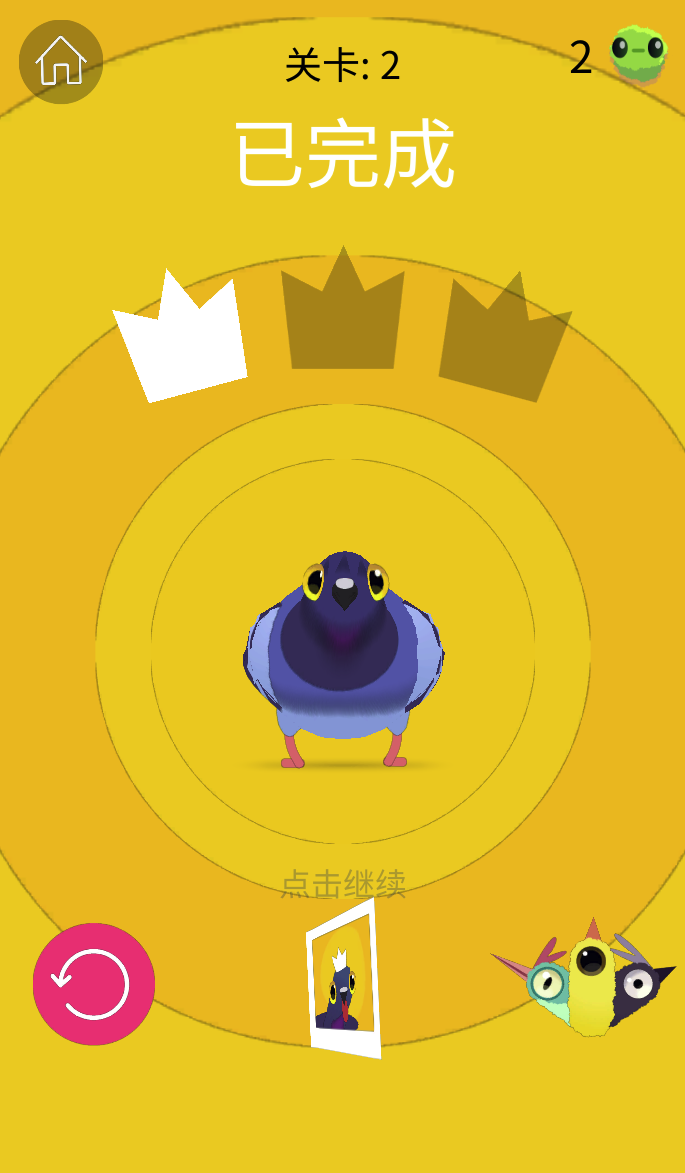
After completion, inspect the crown result and tap to continue, or replay the level.
Timing Tips
Watch a full rotation to learn the spacing between safe and dark pieces. When few edible pieces remain, pause between pecks and track the next target rather than keeping the same tapping rhythm.
Levels and Birds
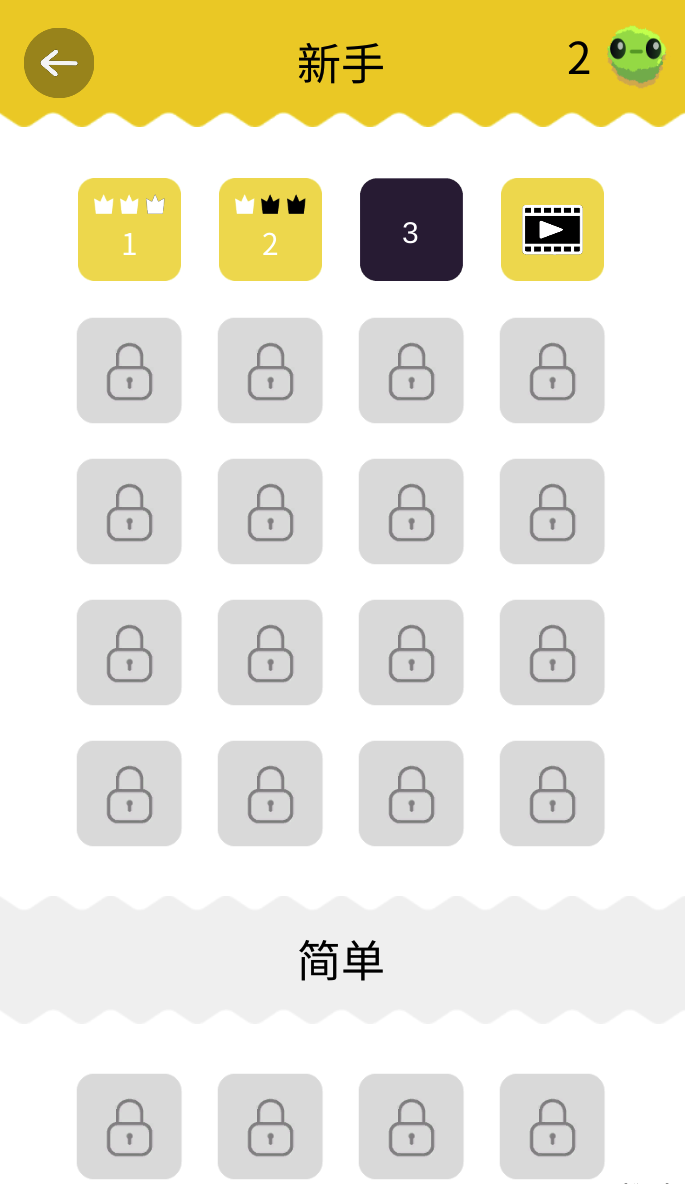
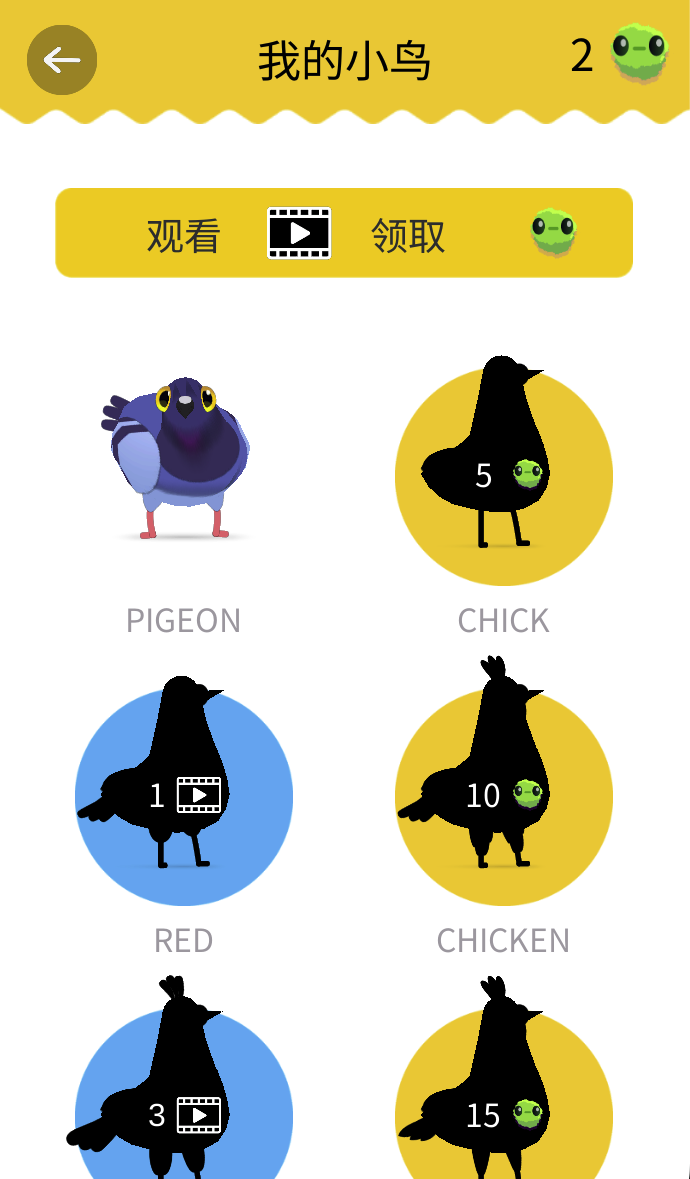
The selection screen groups levels under difficulty labels and shows completed crowns alongside locked tiles. My Birds offers alternative characters: the captured screen lists Chick at 5 green tokens, Chicken at 10, and other entries with video icons. Prices and requirements should be checked in the current game.
Do unlocked birds give a gameplay advantage?
The character screen shows appearances and unlock requirements but no stat bonuses.
Can I replay a completed level?
The completion screen includes a replay icon, and completed levels appear in the level selection screen with their crown records.
Screenshots & Strategies
Real browser captures · October 21, 2026
Time each peck as edible pieces rotate toward the beak. Watch the dark pieces as well as the remaining food instead of tapping continuously.The Level 2 completion screen shows crown results and a tap-to-continue prompt. Replay is also available if you want another attempt.The level selection screen records crowns for completed levels and locks later challenges. Choose an available level rather than assuming every difficulty is unlocked.My Birds shows the selected pigeon and locked alternatives. Some display green-token prices, while others display video requirements; check the current unlock condition before choosing.